2.6. SimBricks Browser-Based UI#
SimBricks Cloud platform features a proprietary browser-based graphical user interface (UI).
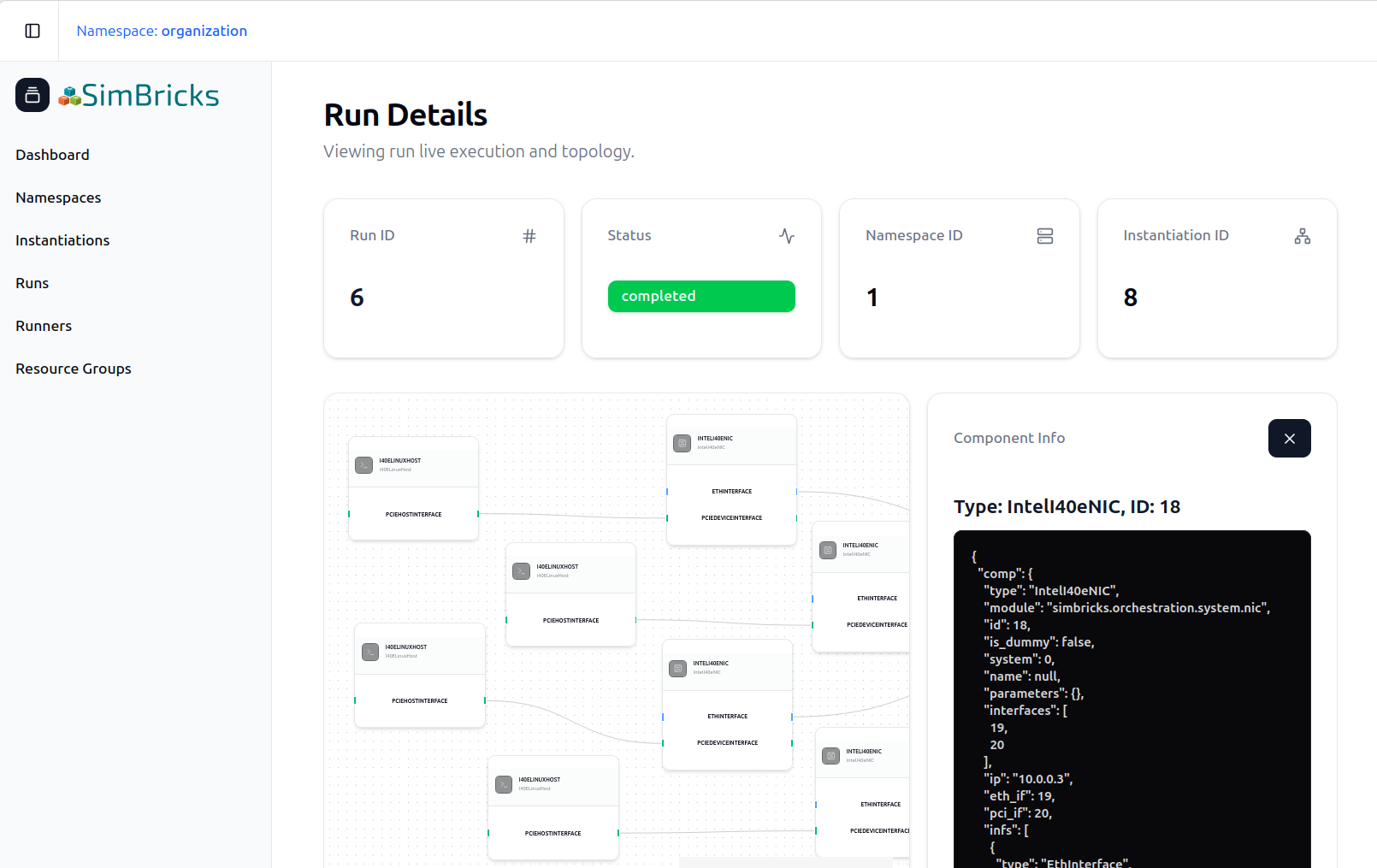
Fig. 2.6 SimBricks web UI Run View.#
This web interface serves as the central control plane for users interacting with the SimBricks backend. It currently provides comprehensive, high-level visibility into your simulation environments without needing to interact with the raw Python API.
Through the dashboard, users can seamlessly:
Investigate Virtual Prototypes: Browse, manage, and verify the configurations of your VPs prior to execution.
Monitor Submitted Runs & System Instantiations: Track the real-time status, scheduling, execution logs, specific topologies, and component linkages of virtual prototypes.
Manage Infrastructure & Runners: View the fleet of active and non-active Runners, monitor node availability, and oversee resource sharing across your environment.
Organize Namespaces & Resource Groups: Logically group simulation assets, manage resource allocations, and cleanly isolate different projects or teams within multi-tenant environments.
Whether your runs are executing on SimBricks-hosted infrastructure or your own self-hosted runners, the web UI provides a unified pane of glass to manage your entire virtual prototyping lifecycle.